Does f.lux actually help?
Yes, at the thing it is designed to do. f.lux measurably shifts your display's color output away from short blue wavelengths, and the warmer the setting, the larger the reduction. f.lux on Windows offers manual dimming via the Alt-PgDn and Alt-PgUp hotkeys documented in the official FAQ. That black-level adjustment can make the image darker even when backlight brightness is at its minimum. What f.lux does not offer is automatic scheduled dimming below the OS minimum, PWM flicker comfort modes, or melanopic EDI measurement of circadian stimulus, because it works in Kelvin rather than melanopic EDI. Whether a warmer screen improves your sleep is a separate question from whether the software does its job, and the research on evening light and melatonin timing is the reason the tools exist at all.
What is f.lux used for?
f.lux is used to make a computer display warmer in the evening and normal during the day, on an automatic schedule tied to your location's sunset and sunrise. People install it to reduce eye strain during night-time screen work and to cut evening blue light exposure before bed. It also has movie and darkroom presets, a disable-for-this-app option, and Philips Hue control. Its primary focus is color temperature, though f.lux on Windows does offer manual dimming via Alt-PgDn and Alt-PgUp hotkeys. CircadianShield exists for the cases where automatic dimming below the OS brightness floor, PWM flicker comfort, or morning light are the actual need.
Is f.lux still good in 2026?
On Windows, yes. f.lux for Windows is still maintained and reached version 4.141 in April 2026, with fixes for disable by app, Snapdragon external monitors, and remote desktop. On a Mac it is aging, since f.lux for macOS has not had a release since version 42.2 in June 2023, and on Linux the xflux daemon dates from 2013. It is still free and still good at warming the screen. CircadianShield is the f.lux alternative for when you also want scheduled dimming, PWM comfort dimming, or morning light.
What is the latest version of f.lux?
According to the f.lux release notes checked on September 23, 2026, the latest f.lux for Windows is version 4.141 from April 2026, and the latest f.lux for macOS is version 42.2 from June 2023. The Linux xflux command line daemon was last updated in September 2013. Every f.lux feature compared in CircadianShield's f.lux alternatives guide refers to those current builds.
What is a good alternative to f.lux on Linux?
Use the night mode built into your desktop: GNOME Night Light on GNOME, or Plasma Night Color on KDE. Both work on Wayland. For wlroots compositors such as Sway, Gammastep is the maintained successor to Redshift, which was archived on April 1, 2026. Iris also has a paid Linux download. CircadianShield does not ship for Linux, only Mac and Windows.
Is f.lux free?
Mostly. f.lux is free on macOS, and free on Windows for personal use, with corporate licensing sold separately, so a work deployment is not automatically covered by the free download. The built-in Windows Night Light and macOS Night Shift are free with no licensing question at all, and LightBulb is free and MIT licensed on Windows. CircadianShield is paid: Core costs $27 one-time and Pro costs $47 one-time, each covering up to 2 computers across Mac and Windows with free updates and a 30-day money-back guarantee.
What is the best free f.lux alternative?
On Windows it is Night Light if you want zero setup, or LightBulb if you want an open source app with a schedule and gamma dimming that can darken the image beyond minimum backlight brightness. On a Mac it is Night Shift, which is already installed. On Linux the maintained free options are the desktop environment's own GNOME Night Light or Plasma Night Color, since the Redshift repository was archived on April 1, 2026. Circadian Shield adds PWM comfort modes and melanopic EDI calibration, plus scheduled dimming on Mac and Windows.
Is there an open source alternative to f.lux?
Yes, two worth knowing. LightBulb is MIT licensed, Windows only, free, and continuously adjusts display gamma from cold blue in the afternoon to warm yellow at night, installable through WinGet, Scoop, or Chocolatey. Redshift is GPL-3.0 and ran on Linux and macOS, but its GitHub repository was archived on April 1, 2026 and its documentation now points people to the built-in GNOME Night Light and Plasma Night Color instead. Circadian Shield is not open source, and it is worth saying so plainly on a page that lists projects which are.
Is Circadian Shield free like f.lux?
No. Circadian Shield Core costs $27 one-time for screen warmth and PWM comfort dimming, and Pro costs $47 one-time for the full app, each covering up to 2 computers on Mac and Windows with free updates and a 30-day money-back guarantee. f.lux is free, but its primary focus is color temperature adjustment. Circadian Shield adds scheduled dimming below the OS brightness floor, PWM flicker comfort modes, 11 display modes, a break timer, and melanopic EDI calibration.
Is f.lux better than Windows Night Light?
For control, yes. f.lux offers warmer presets down to 1200K, separate daytime, sunset, and bedtime color targets, a disable-for-this-app option, and Philips Hue smart bulb control. Night Light is a single strength slider on one schedule. Night Light is the better pick if you cannot install software on the machine or just want zero setup. For a plain warmer screen at night, either one works.
Why does Windows Night Light sometimes stop working?
The usual causes are driver related. Microsoft's support documentation notes Night Light is not available on devices using DisplayLink or Basic Display drivers, and a recurring user complaint is Night Light dropping out when full-screen games or video take over the display. If the sunset-to-sunrise schedule fails, check that location services are enabled. f.lux avoids some of these problems, though any software filter still depends on the GPU driver cooperating.
Can I run f.lux and Windows Night Light at the same time?
Turn one off. Both adjust the same display color output, and stacking them produces double-filtered color that is hard to predict. Pick the tool you prefer and disable the other. The same rule applies to running either one alongside Circadian Shield.
Does f.lux control smart lights?
Yes. f.lux can control Philips Hue bulbs so your room lighting warms in step with your screen in the evening. Windows Night Light does not control smart bulbs, and neither does Circadian Shield, which focuses on the display itself.
Does f.lux block blue light?
It reduces blue light rather than blocking it. Warming the screen color shifts the display's output away from short blue wavelengths, and the warmer the setting, the larger the reduction. No software filter removes blue light entirely while the display is on. Melanopic EDI is the measure of how much a given setting actually matters for circadian timing.
Does Circadian Shield work on Windows like f.lux does?
Yes. Circadian Shield is available on both Mac and Windows, and one purchase covers up to 2 computers across both platforms.
What does Circadian Shield do that f.lux does not?
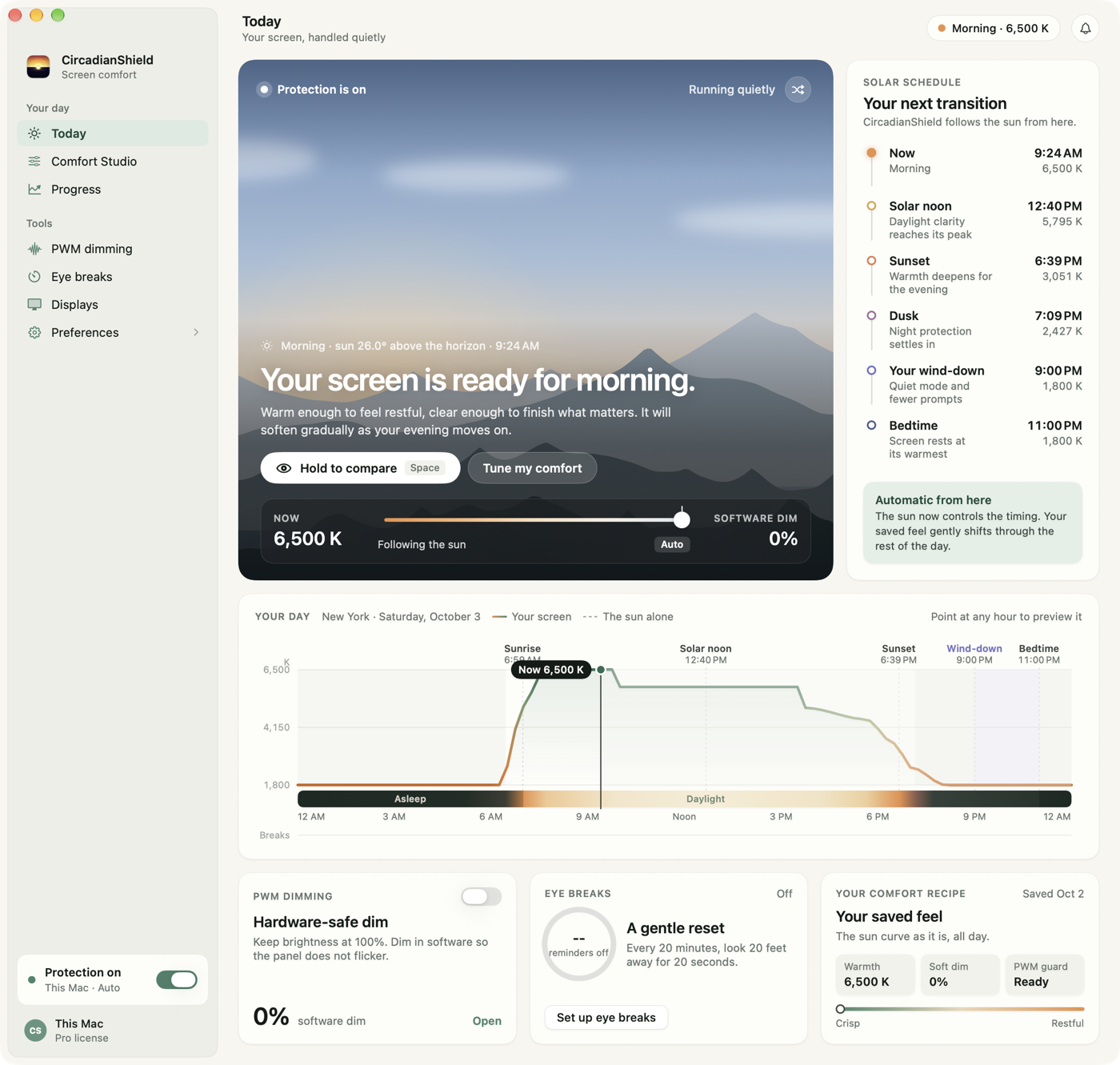
Circadian Shield adds automatic scheduled screen dimming below the OS minimum, PWM flicker comfort modes, 11 schedulable display modes, solar-position scheduling across 11 twilight phases, a morning blue boost at civil dawn, a 20-20-20 break timer with flow detection, and calibration built on melanopic EDI research rather than color warmth alone. f.lux offers manual black-level dimming on Windows, but not that combination of features.
Is f.lux good enough for sleep?
For some people, yes. If a warmer screen color at night is all you need, f.lux handles that. But if you still find your screen too bright, get headaches from display flicker, or want more control over how your display behaves throughout the day, f.lux may not go far enough.
How do I switch from f.lux to Circadian Shield?
Install Circadian Shield from the CircadianShield download page and then disable or uninstall f.lux. Running both at the same time is not recommended, overlapping color filters can produce unpredictable results.
Does f.lux work on Mac?
Yes. f.lux runs on macOS and is a free download from justgetflux.com. It lives in the menu bar and shifts color temperature on a sunrise to sunset schedule once you set your location. Circadian Shield is built for the same Mac users who want more than a sunset color shift.
Is f.lux safe to install?
Yes. f.lux has been available since 2009 and only needs the display permission required to adjust screen color. The one thing to watch is running it alongside another color tool like macOS Night Shift or True Tone, since overlapping filters can fight each other.
Who is the competitor of f.lux?
On Windows the first alternative to try is the built-in Night Light. On macOS it is Night Shift. Beyond the built-ins, the main competitors are Iris (cross-platform and paid, with blue light reduction plus break reminders, broken down in the Iris vs f.lux vs CircadianShield comparison), the open source LightBulb on Windows, and Circadian Shield (solar-position scheduling and melanopic EDI calibration rather than color warmth alone).
Does f.lux reduce PWM flicker?
No. f.lux adjusts your screen's color temperature and does not touch backlight PWM, the rapid on-off pulsing many displays use to dim. What can help is keeping hardware brightness high, where most panels run at or near full duty cycle with little PWM, and dimming the image with a software overlay instead. That is how Circadian Shield's PWM comfort mode works. The honest limit is that no software can remove flicker from a backlight that pulses even at 100% brightness. In that case only flicker-free hardware fixes it. Check your own screen with the CircadianShield monitor flicker test before you assume the software is at fault.
Night Shift vs f.lux, which is better?
They overlap more than they differ. Night Shift on Mac and Night Light on Windows are built in and free, with a single warm-to-cool slider on a sunset-to-sunrise schedule. f.lux is also free and adds finer color control, more presets, and cross-platform support including Linux. If you want a bit more control than the built-in toggle, f.lux is the better free pick. If you also need deeper dimming, PWM comfort, or melanopic EDI calibration, neither goes that far, which is where Circadian Shield comes in.
What is melanopic EDI, and why does f.lux not use it?
Melanopic equivalent daylight illuminance (EDI) is the measure in the CIE S 026:2018 standard for how strongly light stimulates the melanopsin in your eyes, the signal most tied to circadian timing. f.lux and the built-in tools work in color temperature (Kelvin), which is a reasonable proxy but not the same thing. Circadian Shield calibrates its filtering to melanopic EDI directly, and the melanopic EDI explainer walks through the mechanism. It is designed to support your evening wind-down rather than to treat any condition.