Screen dimmer for PC and Mac: the short answer
A screen dimmer is software that makes a display darker than the lowest setting of the built-in brightness slider. It works in one of three ways: an overlay dimmer lays a click-through dark layer over the whole screen, a gamma dimmer rescales the signal the graphics card sends to the panel, and a DDC/CI utility turns down the monitor's own backlight over the video cable. CircadianShield is an overlay screen dimmer for Windows 10 and later and macOS 14 and later, and it leaves the hardware backlight alone, which matters on displays that flicker when the backlight drops. CircadianShield Core is $27 one time for up to 2 computers and already includes software dimming, PWM protection and screen warmth. CircadianShield Pro is $47 one time and adds per-display settings, keyboard shortcuts and, on Mac, the Sunglasses (60% dimming) and Dark (85% dimming) presets. Both have a 30-day money-back guarantee. The best free screen dimmers for PC are Twinkle Tray and Display Dimmer for external monitor backlights, and Dimmer or ScreenDimmer for a quick overlay.
What Is a Screen Dimmer?
A screen dimmer is an app that lowers how bright your monitor or laptop screen looks beyond what the operating system slider allows, and CircadianShield is one example for Windows and Mac. The need is simple. Panel makers set a minimum backlight level that looks sane in a lit office, and in a dark bedroom that floor is still too bright for a lot of people. A screen dimmer either darkens the picture in software or reaches the monitor's hardware controls directly.
Screen dimmers exist on every platform, and the store listings that fill the search results show it: Android apps on Google Play, browser extensions in the Chrome Web Store, Windows apps in the Microsoft Store and open-source projects on GitHub. This CircadianShield guide covers desktop screen dimmer software for PC and Mac. If you are dimming a phone, the CircadianShield screen dimmer app guide covers every platform, with dedicated pages for Android screen dimmer apps and the iPhone screen dimmer route.
How Do I Adjust the Brightness of My Screen?
Before you install a screen dimmer such as CircadianShield, use the brightness control your system already has, because it sets the starting point every dimmer works from. Microsoft, Apple and Google document these paths on their own support sites:
- Windows 10 and 11: open Settings, then System, then Display, and use Brightness. The same slider sits in Quick Settings on the right side of the taskbar. Windows only shows it for screens it can control, which usually means a laptop panel and not a desktop monitor.
- Mac: use the brightness keys, or the Display slider in Control Center. Displays in System Settings holds the same control for built-in and Apple displays.
- Chromebook: select the time at the bottom right to open Quick Settings, then drag the brightness slider.
- Desktop monitor: the buttons on the monitor itself open its on-screen menu, which has a brightness setting the operating system may never show you.
Night Light on Windows and Chromebook and Night Shift on Mac are not brightness controls. They shift color toward warm tones and leave brightness where it was, which trips up a lot of people who turn them on expecting a darker screen.
How Do I Lower My Screen Brightness Even More?
To lower screen brightness below the slider's minimum, you need a screen dimmer, and CircadianShield, CareUEyes, Dimmer and ScreenDimmer all do this in software. Work through these steps in order:
- Drop the system slider to its lowest level using the paths above. If that is dark enough, stop here.
- On a desktop monitor, open the monitor's own menu and lower brightness there, or use a free DDC/CI tool such as Twinkle Tray or Display Dimmer to do it from Windows. This still stops at the panel's hardware floor.
- Install an overlay or gamma screen dimmer to go below that floor. CircadianShield does this with an overlay on Windows and Mac, and CareUEyes does it with gamma dimming.
- Warm the color as well. A dim blue-white screen still reads as daytime to your body clock, so pair dimming with a lower color temperature at night.
If your screen gives you headaches at low brightness, change step 2. Keep the hardware brightness higher and do all of the dimming in software instead, for the PWM reasons explained further down this page.
Why the Brightness Slider Runs Out Before the Room Gets Dark
The brightness slider runs out because panel makers choose a minimum backlight level, and that floor is a design decision rather than a physical limit, which is the gap screen dimmer software such as CircadianShield fills. Drag the Windows or macOS slider to zero in a dark bedroom and most laptops and monitors still throw out a real amount of light.
Neither operating system ships a supported way past that floor. Windows offers the brightness slider plus Night Light, which only shifts color temperature. macOS offers the brightness slider plus Night Shift, which also only shifts color, and Apple's own list of Mac accessibility display settings covers inverted colors, contrast and color filters but no extra dimming control. Reduce White Point, the setting people often recommend, is an iPhone and iPad feature. Software that works above the desktop, at the graphics layer, or over the monitor's control channel is the only route below the floor.
The Three Ways Screen Dimmer Software Dims a Display
Every screen dimmer on the market, CircadianShield included, uses one of three mechanisms, and the mechanism decides what breaks. Pick the method first, then pick the tool.
Overlay dimming: a dark layer over the desktop
An overlay screen dimmer creates a transparent black window that covers the screen and passes your clicks through to whatever is underneath. CircadianShield works this way on both Windows and Mac, and so do the free tools Dimmer and ScreenDimmer. The big advantage is that the backlight stays wherever you set it, so you can hold it high on a flicker-prone panel and still see a dark picture. CircadianShield caps its overlay at 85% so a slip of the slider cannot black out the screen. The costs are real too. Contrast drops along with brightness, and because the overlay is a real window, a screenshot or screen share can include the dark layer, so pause dimming before you present. Some overlays also clash with games: the Dimmer download page from Nelson Pires tells users not to run it during multiplayer or first-person shooter games because anti-cheat software can raise an alert. The CircadianShield guide to using a screen dimmer for gaming covers that trade-off in detail.
Gamma dimming: rescaling the output before it reaches the panel
A gamma screen dimmer edits the color ramp the graphics card applies on the way to the display, so every pixel leaves the GPU darker and nothing sits on top of your desktop. CareUEyes describes its screen dimmer this way, stating that it dims to 1% in 1% increments by adjusting gamma through the graphics driver, and that screenshots are not affected. CircadianShield's dimmer is an overlay rather than a gamma dimmer, so the two tools reach a darker screen by different routes. Gamma dimming also leaves the backlight alone. Its limit is that the graphics driver decides how far the ramp can be pushed, so results vary between machines.
DDC/CI utilities: driving the monitor's real backlight
DDC/CI is a control channel built into HDMI, DisplayPort and DVI that lets software change the settings you would otherwise reach through the buttons on the monitor, and it is the one screen dimmer method CircadianShield does not use. Twinkle Tray and Display Dimmer are free Windows examples. For a desktop monitor with no brightness slider in Windows, this is genuinely useful. But it lowers the actual backlight, it cannot go below the monitor's own minimum, and on many panels a lower backlight means deeper PWM flicker, which is the exact thing flicker-sensitive users are trying to escape.
Screen Dimmer Software Compared: 7 Options for PC and Mac
These seven screen dimmer options are ranked by CircadianShield's own criteria for the below-minimum brightness problem: whether the tool goes past the hardware floor, whether it leaves the backlight alone, whether it handles more than one monitor, and whether it also deals with color at night. CircadianShield is our own app, so read this as CircadianShield's ranking rather than a neutral lab test. Prices and platform support were checked against each vendor's own page or store listing on 24 September 2026.
| Screen dimmer | Method | Below the floor? | Platforms | Multi-monitor | Price |
|---|---|---|---|---|---|
| CircadianShield | Overlay, backlight left alone, plus color warmth | Yes, up to 85% | Windows 10+, macOS 14+ | Per-display settings in Pro | Core $27, Pro $47, one time, 2 computers |
| CareUEyes | Gamma, vendor states dimming to 1% | Yes | Windows 11, 10, 8, 7, XP and macOS 12+ | Yes, synced or independent | $24.90 lifetime for 1 PC, $39.90 for 3 PCs, or $19.90 a year |
| Twinkle Tray | DDC/CI hardware backlight | No | Windows 10 and 11 | Yes, one slider or all at once | Free, MIT open source |
| Display Dimmer (Vantari Works) | DDC/CI, software dimming fallback | Only in software mode | Windows, Microsoft Store | Yes, each display or together | Free, paid Pro adds a blue light filter |
| Dimmer by Nelson Pires | Software dimming, individual screen sliders | Yes | Windows | Yes, individual controls | Free, donation asked |
| ScreenDimmer | Overlay layer with adjustable color | Yes | Windows, tested on 8.1 | Yes, per screen | Free, GPL source |
| Built-in OS controls | Hardware slider | No | Windows, macOS, ChromeOS | Only where the OS exposes the panel | Free |
1. CircadianShield, an overlay screen dimmer with solar timing
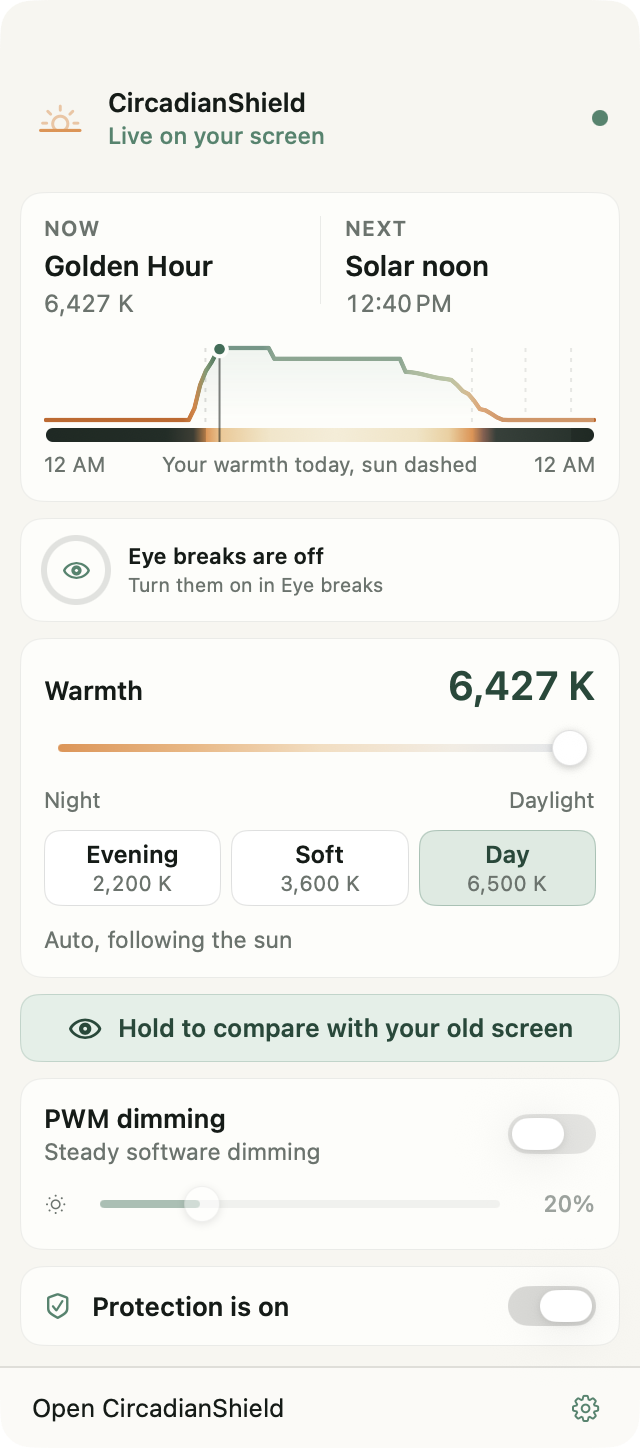
CircadianShield is our own screen dimmer software for Windows 10 and later and macOS 14 and later. It darkens the screen with a click-through overlay, capped at 85%, so you can keep the hardware backlight higher and still get a darker picture, which is the combination that matters if your monitor flickers at low backlight levels. Core is $27 one time for up to 2 computers and covers software dimming, PWM protection and screen warmth. Pro is $47 one time and adds per-display settings, keyboard shortcuts, profiles, a break timer and, on Mac, the Sunglasses and Dark dimming presets. Both have a 30-day money-back guarantee. In Pro, color temperature follows the sun's real elevation through 11 twilight phases from 6500K down to 1800K, calibrated to the CIE S 026 Melanopic EDI standard. Screen filtering and health scoring run entirely on your machine, and the app sends optional anonymous usage statistics that you can switch off in Settings. CircadianShield is not the right pick if you want a single free slider and nothing else, if you need a dimmer that stays out of screenshots, or if you are on Linux or ChromeOS, which it does not support.
2. CareUEyes, the closest paid gamma screen dimmer
CareUEyes is a Windows and macOS eye-care utility that treats its screen dimmer as a headline feature. Its product page claims gamma-based dimming down to 1% in single-percent increments, brightness sync or independent control across multiple monitors, configurable hotkeys, scene presets, automatic adjustment through the day based on local sunrise and sunset, and a built-in blue light filter. Platform support is listed as Windows 11, 10, 8, 7 and XP, plus macOS 12 and later. The CareUEyes pricing page lists $2.90 a month, $19.90 a year, $24.90 lifetime for 1 PC and $39.90 lifetime for 3 PCs, with a 7-day trial. Compared with CircadianShield it schedules by clock sunrise and sunset rather than by solar elevation angle, and it does not calculate Melanopic EDI.
3. Twinkle Tray, the free pick for external monitors
Twinkle Tray is a free, MIT-licensed brightness slider that sits in the Windows system tray and controls monitors over DDC/CI. It covers Windows 10 and 11, adjusts one display or all of them at once, supports hotkeys, exposes contrast, volume and power state where the monitor supports them, and can change brightness by time of day or when the machine goes idle. If your problem is that a desktop monitor has no brightness control in Windows at all, Twinkle Tray solves that for nothing. What it does not do is go below the panel's own minimum, and turning a backlight down is the change most likely to worsen flicker on a PWM-dimmed display.
4. Display Dimmer, the free Microsoft Store option
Display Dimmer from Vantari Works is a free Windows app in the Microsoft Store. Its listing says it uses DDC/CI to change hardware brightness on supported external monitors and falls back to software dimming when hardware control is unavailable. You can set displays individually or together. The free version includes basic schedules and hotkeys, and a paid one-time Pro upgrade adds a blue light filter, per-display color temperature and more schedules, app rules and hotkeys. Like Twinkle Tray, the hardware mode is bound by the monitor's floor and lowers the real backlight.
5. Dimmer by Nelson Pires, a 56 KB free utility
Dimmer is a small free Windows screen dimmer that adds a slider for each connected screen and asks for a donation rather than a licence fee. Version 2.0.1 dates from 1 December 2022 and the download is 56 KB. The developer's page carries two warnings worth reading before you install: the executable can trip antivirus false positives, and you should not run Dimmer during multiplayer or first-person shooter games because of anti-cheat alerts.
6. ScreenDimmer, the open-source overlay
ScreenDimmer is a GPL-licensed Windows overlay screen dimmer hosted on GitHub. It dims each screen independently, supports global hotkeys with an on-screen display, remembers your settings between sessions, and lets you tint the overlay so it doubles as a rough blue light filter. The repository lists testing on Windows 8.1 at 96 and 125 DPI, and its last commit is from November 2017, so treat it as a working relic rather than maintained software. For a spare machine or a secondary display you want to knock down during a presentation, it still does the job. DimScreen, Skrommel's free AutoHotkey dimmer from 2008, is an even older overlay of the same kind, limited to ten steps on the primary monitor, and the CircadianShield DimScreen review covers its hotkeys and Windows 11 status.
7. Built-in Windows, macOS and ChromeOS controls
The built-in brightness controls are free and already installed, and they are the baseline every screen dimmer, CircadianShield included, is measured against. Windows gives you the brightness slider and Night Light. macOS gives you the brightness slider and Night Shift. ChromeOS gives you a brightness slider and Night Light in Quick Settings. None of them goes below the hardware floor, none dims each display separately, and the color modes change warmth rather than brightness.
Dim below the floor on Mac and Windows
CircadianShield Core adds a software screen dimmer, PWM protection and screen warmth for $27 one time for up to 2 computers. Pro adds per-display settings and solar-timed color for $47. 30-day money-back guarantee.
Download CircadianShieldWhere to Download Each Screen Dimmer (Official Sources)
Most "screen dimmer download" results are mirror sites that repackage these tools, sometimes as larger installers than the developer's own file. Download from the developer or the Microsoft Store instead. Every link below goes to the official source and was checked on 6 October 2026.
| Screen dimmer | Official download | Platforms | Price |
|---|---|---|---|
| CircadianShield | circadianshield.com/download | Windows 10+, macOS 14+ | 30-day money-back guarantee. $27 or $47 once |
| CareUEyes | care-eyes.com | Windows, macOS 12+ | Paid, from $19.90 a year |
| Twinkle Tray | twinkletray.com or Microsoft Store | Windows 10 and 11 | Free |
| Display Dimmer | Microsoft Store | Windows | Free, paid Pro |
| Monitorian | Microsoft Store or GitHub | Windows 10 (1607) and later | Free, MIT |
| Dimmer (Nelson Pires) | nelsonpires.com | Windows | Free, donation asked |
| ScreenDimmer | GitHub | Windows | Free, GPL |
| Desktop Dimmer | GitHub | macOS, Windows, Linux (beta) | Free, open source |
| DimScreen | Skrommel's page | Windows | Free |
Two more free options: Monitorian and Desktop Dimmer
Monitorian is a free, MIT-licensed Windows tool for adjusting the brightness of several monitors, including external ones, individually or all at once. It controls external monitors over DDC/CI, so the monitor must have DDC/CI switched on in its own menu, and it lets you narrow the usable brightness range for each monitor. Version 4.16.1 shipped on 25 September 2026, so it is actively maintained. Like Twinkle Tray, it moves the real backlight and stops at the monitor's own minimum.
Desktop Dimmer is a free open-source overlay that promises "darker-than-dark dimming" for internal and external screens on macOS, Windows and Linux (beta), and remembers its setting per display. It is one of the few free dimmers that runs on a Mac. Its last release, version 4.0.4, is from November 2017 and the project still labels itself alpha, so expect rough edges on current macOS and Windows 11.
What Is the Best Screen Dimmer for PC and Windows 11?
For a Windows PC, CircadianShield is CircadianShield's pick when the goal is a screen that is darker and warmer at night without juggling two utilities: Core at $27 covers the overlay screen dimmer, PWM protection and warmth, and Pro at $47 adds per-display settings and keyboard shortcuts. CareUEyes is the closest paid alternative if you prefer gamma dimming. Twinkle Tray and Display Dimmer are the better free answers if your actual complaint is that Windows shows no brightness slider for your desktop monitor, since they drive the monitor over DDC/CI instead.
Windows Night Light is not a dimmer at all. It shifts the display toward warmer color and leaves brightness exactly where it was. The full setup and troubleshooting walkthrough lives on the CircadianShield Windows 11 blue light filter page, and the Windows-only version of this dimming question is covered on the CircadianShield screen dimmer for Windows page.
Is There a Free Screen Dimmer for PC?
Yes, there are six good free screen dimmers for PC, and CircadianShield is not one of them, since it is a paid app. Twinkle Tray is free and MIT open source and fixes external monitor brightness on Windows 10 and 11. Display Dimmer is free in the Microsoft Store, with a paid Pro tier for color features. Dimmer from Nelson Pires is a free 56 KB utility with a slider per screen. ScreenDimmer is a free GPL overlay with hotkeys, last updated in 2017. Monitorian is a free, actively maintained DDC/CI slider for several monitors, and Desktop Dimmer is a free overlay for Windows, macOS and Linux, last released in 2017. The free tools cover brightness well. What they do not combine is below-floor dimming, PWM protection and screen warmth in one app, which CircadianShield Core provides at $27 one time. Pro adds solar-timed color.
Screen Dimmer for Mac, Laptops and Chromebooks
On a Mac, the screen dimmer choice is narrower than on Windows: CircadianShield on macOS 14 and later and CareUEyes on macOS 12 and later both go below the slider's floor, and the free Windows utilities in this guide do not run on macOS, apart from Desktop Dimmer, an open-source overlay last released in 2017. The CircadianShield screen dimmer for Mac page covers the Mac setup in detail.
On a laptop, the built-in panel is the one screen the operating system can always dim, so the slider works but still stops at the maker's floor. Laptop panels are also a common home for PWM backlights, which makes an overlay screen dimmer such as CircadianShield, with the backlight held higher, a better fit than turning the slider to zero. The CircadianShield laptop PWM flicker guide shows how to check your own machine.
On a Chromebook, CircadianShield does not run, because it is a Windows and macOS app. ChromeOS gives you the brightness slider in Quick Settings and Night Light under Settings, Device, Displays, with a sunset-to-sunrise schedule. Browser extensions fill some of the gap. The Screen Dimmer extension in the Chrome Web Store, from Eyeletic, had 10,000 users and version 3.1.2 on 24 September 2026, and its listing describes a full-page screen dimmer that works even when system brightness is already at its minimum. Expect it to dim pages in Chrome rather than the rest of ChromeOS.
Dimming Two or Three Monitors at Once
Multi-monitor desks are where screen dimmer software such as CircadianShield separates from the built-in controls, because Windows only shows a brightness slider for panels it can address, and an external monitor on a desktop tower often gets none at all. CircadianShield Pro adds per-display settings, so a bright secondary panel can be treated differently from your main screen. CareUEyes states that it can sync brightness across every monitor or set each one independently. Twinkle Tray puts a slider per monitor in the system tray and can move all of them together, and Display Dimmer does the same from the Microsoft Store. Dimmer and ScreenDimmer both dim each screen individually as well.
One practical warning for mixed setups: overlay, gamma and DDC/CI dimmers work at different layers, so running two at once on the same monitor stacks two reductions and can leave a panel far darker than intended. Pick one method per screen. For the device-by-device picture, the CircadianShield monitor dimmer and screen dimmer app guide covers every platform.
Screen Dimmers and PWM Flicker: Why Lowering the Backlight Can Backfire
A screen dimmer matters most to people whose displays flicker, and this is where CircadianShield's choice of overlay dimming stops being academic. Many LED and OLED panels do not dim their light source smoothly. They switch it on and off very quickly and vary how long it stays on, which is pulse-width modulation. The lower you push the hardware brightness, the longer the off periods get, and the more likely a sensitive viewer is to end the evening with a headache.
That produces a counterintuitive rule. If your screen flickers at low brightness, do not turn the hardware brightness down. Hold the backlight higher, where the pulsing is shallower or absent, and take the perceived brightness down in software instead. An overlay or gamma screen dimmer does exactly that, which is why CircadianShield includes PWM protection from the Core plan up. A DDC/CI utility does the opposite by design. If you have not checked your own panel yet, the CircadianShield monitor flicker test walks through five ways to test any screen, the monitor brightness and eye strain guide explains the PWM trap, and the flicker-free monitors page explains what that label does and does not guarantee.
Hotkeys, Presets and Scheduling in a Screen Dimmer
The dimming method decides whether a screen dimmer works, and in CircadianShield, CareUEyes and the rest, hotkeys, presets and scheduling decide whether you keep using it after week one. CircadianShield Pro includes keyboard shortcuts and profiles, plus on Mac the Sunglasses (2200K with 60% dimming) and Dark (1800K with 85% dimming) dimming presets, and its schedule runs off the sun's actual elevation through 11 twilight phases rather than a fixed clock time. CareUEyes lists configurable hotkeys and scene presets, and schedules from local sunrise and sunset. ScreenDimmer offers hotkeys with an on-screen readout. Twinkle Tray supports hotkeys and can shift brightness by time of day or when the machine is idle.
Solar elevation versus clock time sounds like a small distinction and is not, because sunset moves by hours across a year in most latitudes. A fixed 9pm schedule is wrong for half the calendar. That difference, along with the Melanopic EDI calculation behind it, is unpacked on the CircadianShield Melanopic EDI explainer, and the CircadianShield guide to screen dimmer settings for night reading puts it into practice for a dark room.
A Screen Dimmer Only Solves Half of the Night Screen Problem
A screen dimmer reduces brightness, and CircadianShield pairs it with color because brightness is only one input into how a screen affects you at night. Wavelength is the other, and dimming alone leaves it untouched. Short-wavelength light around 480nm drives the melanopsin-containing cells in the retina that tell your body clock what time it is, which is why a dim blue-white screen can still read as daytime to your circadian system. Chang and colleagues (2014, PNAS) found that evening light-emitting screen use delayed melatonin release by roughly 1.5 hours compared with print reading.
That is why CircadianShield Pro pairs its dimming layer with color temperature that runs from 6500K daylight down to 1800K candlelight, calibrated to CIE S 026 Melanopic EDI rather than to a brightness percentage. CircadianShield is a wellness app, not a medical device, and dimming your screen may help with evening comfort and sleep timing without treating any condition. For the filter side on its own, the CircadianShield best blue light filter software guide ranks seven options, and the CircadianShield f.lux alternatives comparison covers the free and open-source picks.
How to Choose a Screen Dimmer: Five Checks
Run any screen dimmer, CircadianShield included, through these five checks before you pay for it or keep it installed.
- Does it go below the floor? Overlay and gamma dimmers such as CircadianShield, CareUEyes, Dimmer and ScreenDimmer do. DDC/CI tools such as Twinkle Tray stop at the monitor's own minimum.
- Does it leave the backlight alone? On a PWM-dimmed panel, a tool that lowers the real backlight makes flicker worse. Overlay and gamma dimming avoid that trade.
- Does it dim per display? If you run two or three monitors of different ages and brightness, per-display control is the feature you will use every day.
- Does it fit how you use the screen? Overlays can show up in screenshots and some clash with anti-cheat software in games, so gamers and presenters should test before they commit.
- Does it handle color as well as brightness? Brightness alone does not address the 480nm wavelengths that shift your body clock, so a combined tool saves you running two apps.
Screen Dimmer Software: Common Questions
Is there any way to make my screen dimmer?
Yes. Start with the system slider, and on a desktop monitor also lower brightness in the monitor's own menu. To go darker than both, install a screen dimmer. CircadianShield does this on Windows and Mac with a click-through overlay that leaves the backlight alone, from $27 one time. Free options on Windows include Dimmer and ScreenDimmer.
What software can I use to dim my screen?
On Windows the practical shortlist is CircadianShield for overlay dimming with PWM protection, CareUEyes for gamma dimming, Twinkle Tray or Display Dimmer for reaching an external monitor's own backlight over DDC/CI, and Dimmer or ScreenDimmer for a free overlay. On a Mac it is CircadianShield on macOS 14 and later or CareUEyes on macOS 12 and later. Desktop Dimmer, a free open-source overlay, also runs on macOS, but its last release is from 2017. CircadianShield covers both platforms with one licence for up to 2 computers, $27 for Core or $47 for Pro.
What is the best screen dimmer app for Windows 11?
For a screen that is both darker and warmer at night, CircadianShield is CircadianShield's own pick on Windows 11: Core at $27 covers overlay dimming, PWM protection and warmth, and Pro at $47 adds per-display settings and keyboard shortcuts. Twinkle Tray is the better free choice if the real problem is that Windows 11 offers no brightness slider for your monitor. Windows 11 Night Light is not a dimmer at all: it changes color temperature and leaves brightness untouched.
Can screen dimmer software go below the minimum brightness?
Overlay and gamma dimmers can, because they darken what sits in front of the display or what the display receives rather than asking the hardware for a lower backlight. That is how CircadianShield takes a Mac or PC screen past the point where the operating system slider stops. DDC/CI tools such as Twinkle Tray cannot, because they drive the monitor's own brightness setting and are bound by the same floor the monitor buttons hit.
Does software dimming affect screenshots or screen sharing?
It depends on the method. Overlay dimmers, including CircadianShield, Dimmer and ScreenDimmer, draw a real window over the desktop, so a screenshot or a shared screen can include that dark layer. Pause dimming before you present. Gamma dimmers change the color ramp on the way to the panel instead, and CareUEyes states that its gamma dimming does not affect screenshots.
Will dimming my screen in software damage the monitor?
No. Overlay and gamma dimmers change what is drawn on the screen or sent to the panel and never touch the display's power circuitry. DDC/CI utilities change the same brightness value the monitor buttons change, which is a setting the monitor is built to accept. The thing to avoid is flicker, not damage: on a PWM-dimmed panel, lowering the hardware backlight deepens the pulsing, so dim in software with a tool such as CircadianShield and leave the backlight higher.
Is there good free screen dimmer software for PC?
Yes, with limits. Twinkle Tray is free and MIT open source and handles external monitor brightness on Windows 10 and 11. Display Dimmer is free in the Microsoft Store. Dimmer from Nelson Pires is a free 56 KB utility with per-screen sliders, though its own page warns against running it during multiplayer games. ScreenDimmer is GPL-licensed and dims each screen with hotkeys, but its last commit is from 2017. None of them combine below-floor dimming with PWM protection and screen warmth the way CircadianShield Core does at $27 one time.
Is there a screen dimmer for Chromebook?
Not from CircadianShield, which runs on Windows and macOS only. On a Chromebook, use the brightness slider in Quick Settings and Night Light under Settings, Device, Displays. Browser extensions such as Screen Dimmer in the Chrome Web Store dim web pages, which helps with web pages in Chrome but not with the rest of ChromeOS.
Does Reduce White Point work on a Mac?
No. Reduce White Point is an iPhone and iPad setting under Accessibility, Display and Text Size. Apple's list of Mac accessibility display settings has no equivalent, so on a Mac the way below the brightness slider's floor is a screen dimmer such as CircadianShield on macOS 14 and later or CareUEyes on macOS 12 and later.
Get CircadianShield for Mac or Windows
A software screen dimmer that goes below the hardware floor and leaves the backlight alone, with PWM protection and screen warmth. Core is $27 and Pro is $47, one time for up to 2 computers, with a 30-day money-back guarantee.
Download CircadianShield